The evening settles in. When the temperature drops to minus ten Celsius outside, frost lacing the edges of the living room window, the indoors becomes a sanctuary. You sink into the chesterfield, hot tea in hand, ready to finally watch that film everyone’s talking about. You press play. Instead of the opening credits, you are greeted by the spinning wheel of buffering death.
Frustration begins to simmer. You pay handsomely for high-speed fibre, yet here you are, watching a pixelated mess stutter across the screen. The instinct is to immediately call the service provider, ready to wage war over bandwidth throttles, dropped packets, and broken promises.
Before you endure forty minutes of hold music, take a look at where your internet actually lives. Chances are, a blinking plastic slab is wedged between a dusty stack of magazines and the drywall, or shoved unceremoniously into the darkest corner of a media console. We treat these devices like eyesores that must be banished from sight, terrified they will ruin the room’s aesthetic.
The fix is entirely physical. That small, blinking box isn’t just a receiver; it is a broadcaster trying to shout through solid matter. When you suffocate it behind a television or bury it in a drawer, you are muffling the very connection you rely on. The cure for this daily annoyance isn’t a massive upgrade; it is wildly simple.
The Living Room Lighthouse
We tend to think of the internet as a magical, invisible tether that simply exists in the air around us, powering our phones and televisions. But wireless signals are just radio waves. They are physical, subject to the exact same limitations as sound waves or the light from a lamp. Imagine placing a beautiful, glowing lantern on the floor and then tossing a thick wool blanket over it. You wouldn’t blame the bulb for the dark room.
Your router is a lighthouse. It projects an omnidirectional beam of data outwards and downwards. When you place it on the floor, half of your bandwidth is immediately absorbed by the floorboards, the rugs, and the concrete foundation below. The mundane act of hiding the router is actively sabotaging your digital life, stripping away the speed you already paid for.
Here is the perspective shift: that flashing piece of plastic is not a decor problem to be solved. It is an infrastructure node. Treat it with the respect of a light source. Simply moving it waist-high or higher changes everything, turning a suffocated, lagging signal into a room-filling flood of connectivity.
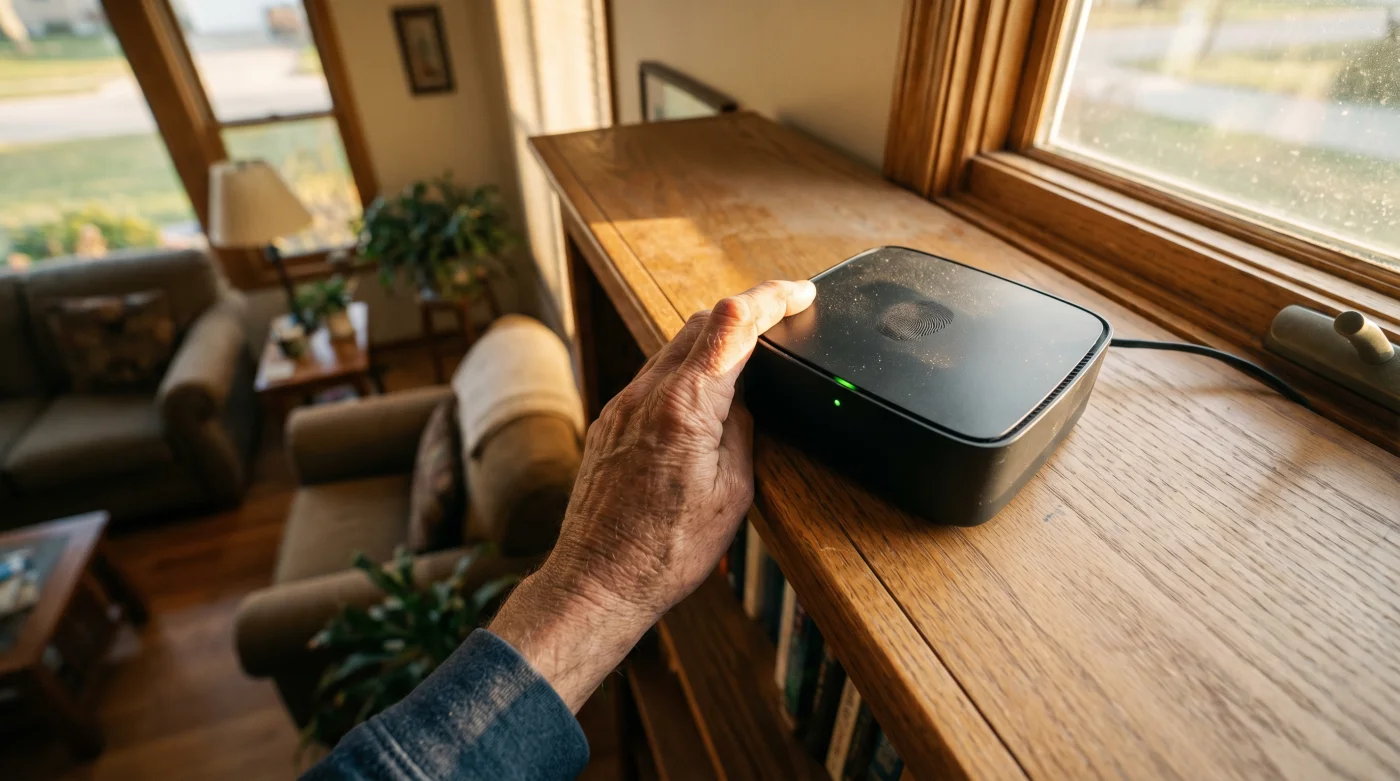
Meet Elias Thorne, network technician. A 42-year-old independent contractor in Halifax, Elias spends his weeks visiting homes complaining of chronic video lag and inexplicable dead zones. His service calls rarely involve replacing expensive hardware. Instead, Elias usually walks in, finds a three-hundred-dollar high-performance router buried inside a metal filing cabinet or trapped behind a large glass aquarium, and simply places it on top of a bookshelf.
“People treat the internet like a utility that flows automatically out of the walls,” Elias notes, “but radio waves can’t swim through five gallons of fish water or punch through a steel door. You have to let the box breathe. Give it a view, and the lag vanishes entirely.”
Designing for the Invisible
Placement is a physical puzzle. Not every home setup is identical, and the way you implement this lazy fix depends heavily on your daily environment. The architecture of your house dictates how these waves travel, bounce, and eventually fade away before reaching your device.
For the Decor Purist
You likely spent weeks curating your living space, and a spider-like machine with four antennas doesn’t fit the aesthetic. Instead of hiding it in a drawer, place it on a high, open shelf disguised among books. As long as it isn’t flanked by heavy metal bookends or dense, water-filled potted plants, it will blend into the background while maintaining a clear line of sight over the furniture.
For the Heritage Homeowner
Height becomes absolutely critical here. If you live in an older Canadian home built before the nineteen-fifties, your walls might be lath and plaster reinforced with metal mesh. This creates a literal Faraday cage, trapping radio waves in a single room. Getting the router up high, perhaps near a doorway or open arch, allows the signal to spill out into the hallway rather than slamming into an impenetrable wall.
For the Multi-Story Household
If you live in a multi-level home, placing a router in the basement is like shouting at the dirt. Bring it up to the main floor, ideally in a central hallway. Because signals tend to radiate outward and slightly downward, placing the box high on the main floor allows the waves to cascade naturally across the living areas, reaching the basement couch and the second-floor bedrooms with equal strength.
The Two-Minute Relocation
Eliminate the friction of buffering. Fixing your connection doesn’t require a degree in computer science. It requires a mindful approach to physical space. By taking two minutes to rethink your hardware’s location, you can remove the annoyance of dropped calls entirely.
Start by unplugging the device and wiping away the dust. Look around the room for a perch offering a clear, sweeping view of your primary living space. Imagine water spraying from the box; you want it to hit as much of the room as possible without hitting a blockade. Keep these rules in mind as you set it down:
- Height is mandatory: Aim for a minimum of five feet off the ground so it doesn’t have to fight through heavy furniture.
- Steer clear of water: Fish tanks, large radiators, and dense clusters of houseplants absorb WiFi frequencies like a sponge.
- Avoid the kitchen: Microwaves and refrigerators are massive blocks of metal that will utterly scramble your radio connection.
- Centre the source: Move the router to the physical centre of the home so the signal isn’t bleeding out into the street.
The Tactical Toolkit
- Optimal Height: 5 to 7 feet, placing it directly at eye level.
- Clearance: At least 6 inches of breathing room on all sides to prevent overheating.
- Antenna Position: Point one vertically and one horizontally to push signals across multiple spatial planes.
A Frictionless Environment
Reclaim your digital peace entirely. When you finally settle the router onto its new, raised perch, plug it back in and wait for the green lights to stabilize. Return to the chesterfield, pick up the remote, and press play. The film starts instantly, crisp and clear.
We tolerate so many tiny technological frictions in our daily routines, convincing ourselves that poor performance is just the cost of modern living. We accept the spinning circle of death as an inevitable tax on our evening downtime. But you don’t have to accept a stuttering screen or a dropped video call.
Strip away the daily frustrations. By understanding the physical reality of the tools around you, you calm the nerves that fray from constant buffering. Moving a plastic box up a few feet isn’t just a technical tweak; it is an act of reclaiming your environment. You are ensuring that when you finally sit down to rest, the world flows exactly as it should.
“A clear line of sight is worth more than a thousand dollars of upgraded equipment; let the signal breathe.”
| Key Point | Detail | Added Value for the Reader |
|---|---|---|
| Optimal Height | Raising the unit 5 to 7 feet off the floor. | Bypasses furniture density, immediately curing random video lag. |
| Material Avoidance | Keeping away from metal appliances and water features. | Prevents signal absorption, providing consistent speeds. |
| Central Placement | Moving to the core hallway rather than an exterior wall. | Ensures all rooms receive equal bandwidth without dead zones. |
Frequently Asked Questions
Does hiding the router behind a TV actually slow it down?
Yes. The metal backing and electrical interference from the television act as a solid wall, destroying the signal before it reaches the room.Can I place my router on top of a bookshelf?
Absolutely. This is often the ideal location, provided there are a few inches of clearance for heat to escape and it isn’t squeezed between heavy books.Do walls made of lath and plaster affect connectivity?
Severely. The wire mesh inside older Canadian walls acts like a cage. Placing the unit near open doorways helps the waves escape into the hallway.Why does the internet drop when I use the microwave?
Microwaves operate on a very similar radio frequency to your WiFi. When active, they create massive interference, scrambling the data packets.Do I need to buy a new box if my speeds are still slow?
Only if relocating it to an open, raised space doesn’t resolve the issue. Always try this free, lazy fix before spending money on new hardware.